Shopify SKU and catalog audit
Find missing and duplicate SKUs before feeds, imports, or inventory sync break.
Check an exported Shopify product CSV in this browser first. See missing or repeated SKUs, price risks, and channel-dependent data gaps without letting a generic tool invent operational identifiers.
No upload · No Shopify login · Sample ready · Live app remains free for 3 audits when the result is useful
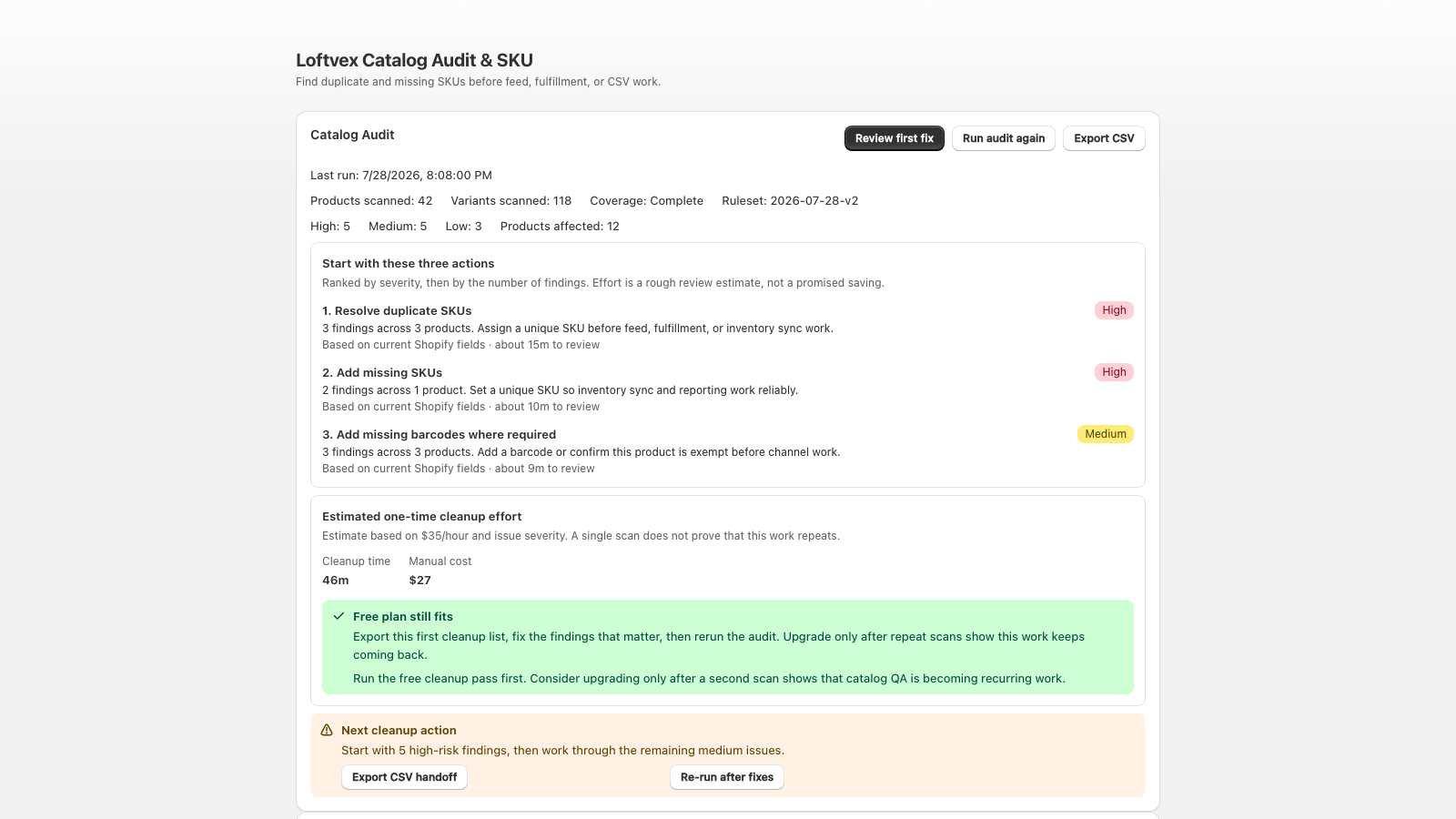
Audits are read-only; supported fixes require your explicit approval.
3 audits and CSV export included.
Issues and fixes in one export.
Free browser proof
Use your Shopify export—or run the sample already loaded.
The result separates SKU decisions from other review notes, preserves every source value, and offers a live-scan handoff only after you intentionally run the checker. Your CSV stays in this browser.
Review a Shopify product CSV sample
Select the product CSV exported from Shopify, paste rows, or use the sample. The browser checker identifies SKU decisions and product-data review notes without inventing or overwriting operational identifiers.
No file selected. The sample below is ready to try.
A direct path from audit to handoff.
Use Loftvex before a launch, migration, feed submission, or bulk edit—when finding issues late costs more than checking them once.
Read-only checks find gaps across products and variants before they reach customers or channels.
Review the current value and proposed value, then approve only the product or variant field you want changed.
Export a CSV, rerun the audit, and pay only when catalog QA becomes recurring work.
Pay when the cleanup work repeats.
The free plan is deliberately enough for a first pass. Paid plans are for stores that need a repeatable record of what changed, recurring checks, or higher monthly audit volume.
3 audits per month and CSV export for one-off cleanup work.
50 audits, saved history, and Weekly Watch every 7, 14, or 30 days.
250 audits and faster monitoring, including daily and three-day checks.
One starting point
Start with your product CSV.
Check missing and duplicate SKUs in the browser. Install only when you need the same audit against your live Shopify catalog.